SMS Policy
How Connective Apps LLC sends text messages for ParentConnect and Pet Parent Connect, and how to stop them.
Who sends the messages
Connective Apps LLC (1309 Coffeen Avenue STE 1200, Sheridan, WY 82801, United States) publishes two mobile apps: ParentConnect, for local parents, and Pet Parent Connect, for local pet owners. Text messages for both apps are sent from the same toll-free number, operated by Connective Apps LLC.
What we send: one invite from a friend
Both apps have a "Recommend App" feature. A signed-in user picks one person they know (typed in, or chosen from their own contacts) and taps Send. There is no "invite all", no contact list upload and no reward for inviting. Before sending, the screen shows:
with links to our Privacy Policy and Terms. The user must tick "I have my friend's permission to send them this text message." The box is unticked every time the screen opens, and without the tick nothing is sent.
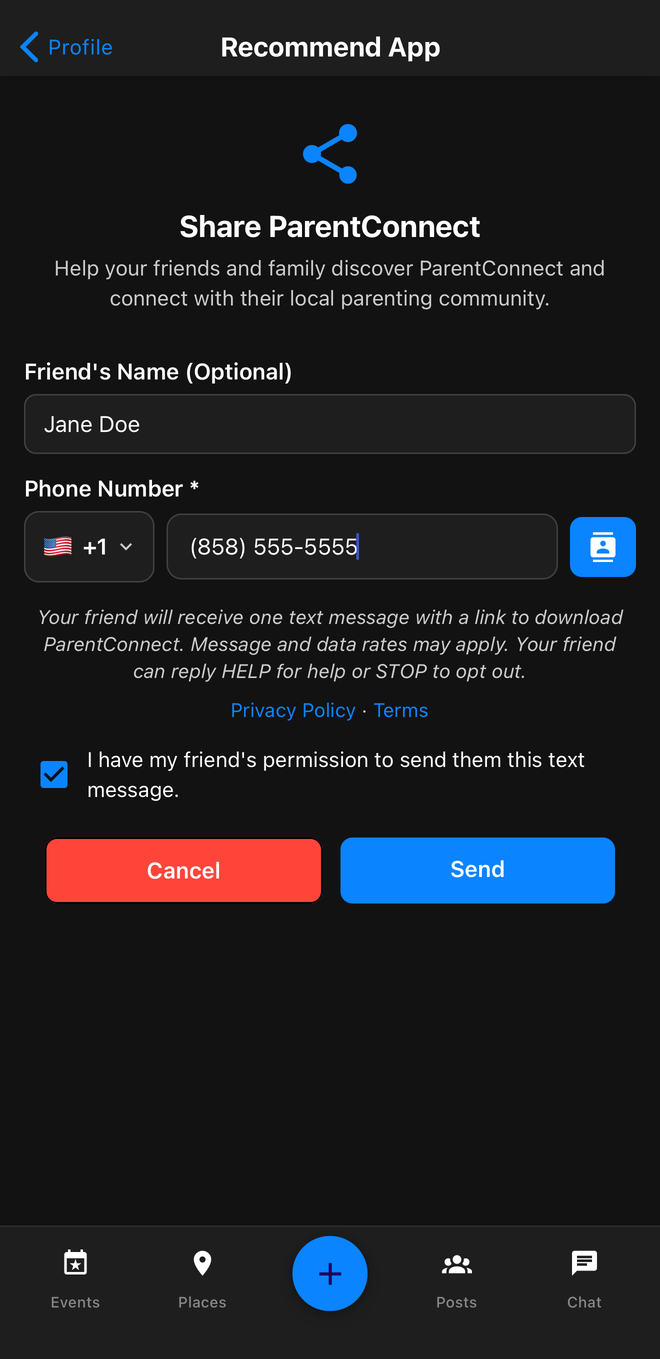
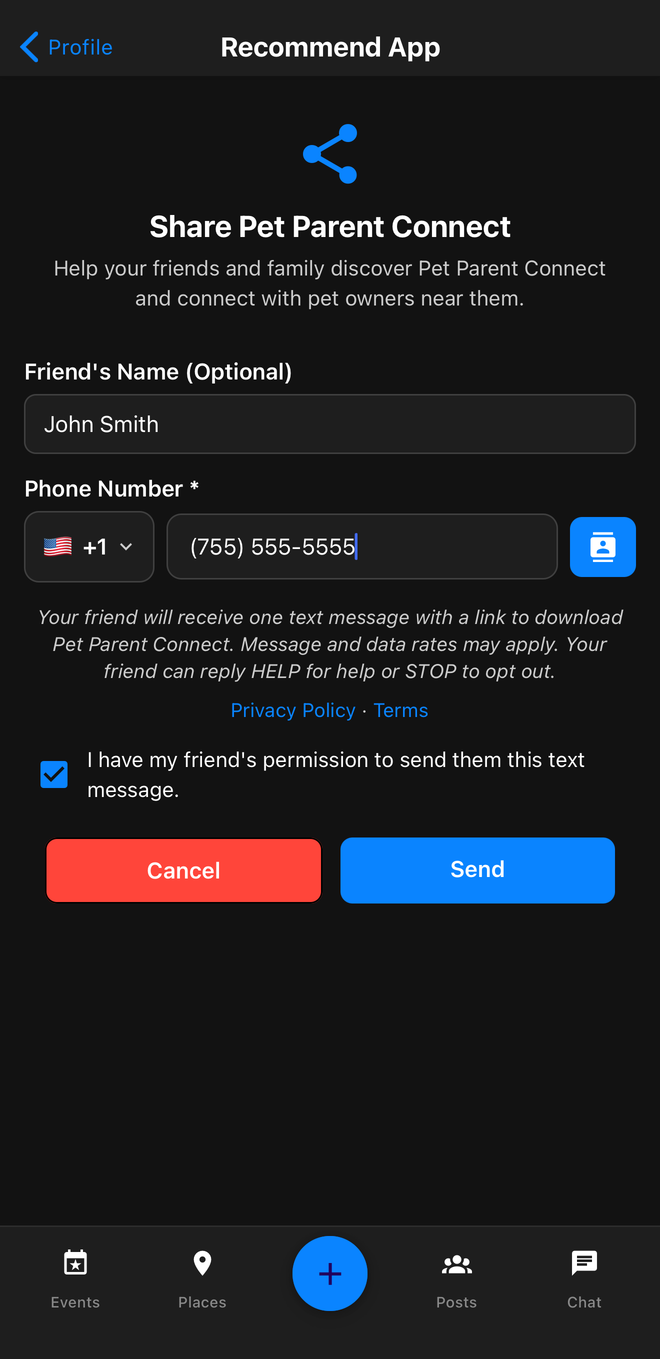
The person receives one text message. It names the friend who sent it, the app and Connective Apps, and links to the app:
- This is consumer-initiated messaging: the user starts each invite, picks each recipient and confirms the recipient's permission. The invite recommends the app to the recipient.
- Invited people get only this one message: no campaigns, no follow-ups and no recurring messages.
- Each user can send at most 15 invites per day.
- Message and data rates may apply.
How to stop messages
Reply STOP to any message and you will receive no further texts from this number, for either app. Reply HELP for help, or write to help@parentconnect.us or help@petparentconnect.us.
Privacy
Phone numbers are used only to deliver the invite and to honor opt-outs. Text messaging opt-in data and consent are never shared with any third parties. Details are in our Privacy Policy.